 编程那点事
编程那点事
eclipse在进行web开发的时候,提示 The superclass "javax.servlet.http.HttpServlet" was not found on the Java Build Path
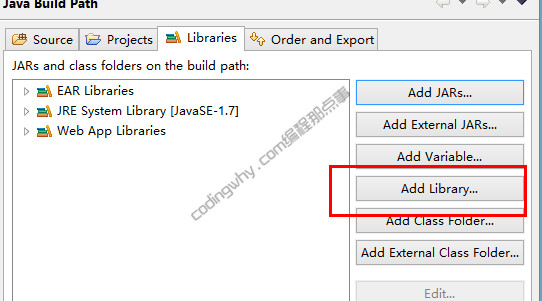
解决方法 选中报错的项目,右键单击"property"(属性),然后选中"Java Build Path" 在"Libraries"选项卡中单击"Add Library..."按钮

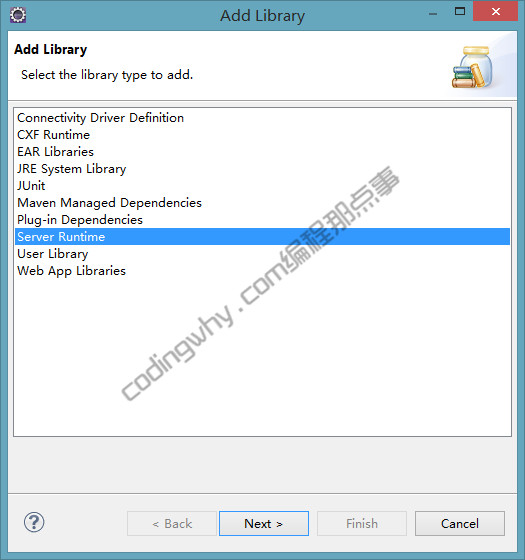
单击"server runtime"然后单击"Next"
选中"tomcat v7.0",然后单击"Finish"
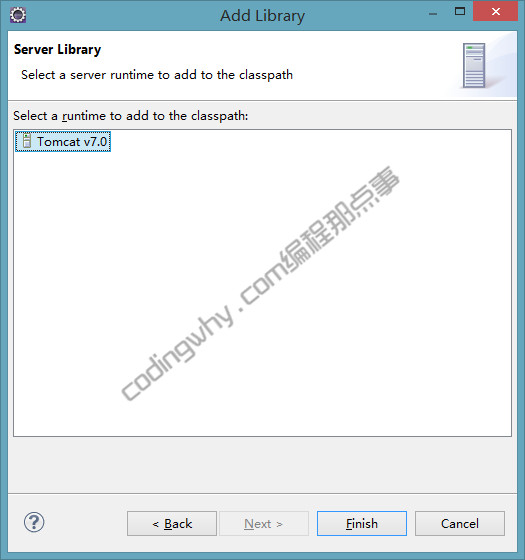
至此,"javax.servlet.http.HttpServlet" was not found的问题就解决了,其实,这么做只是添加了servlet-api.jar的引用