 编程那点事
编程那点事
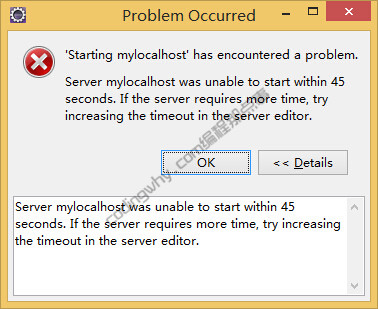
eclipse发布项目报错:Server mylocalhost was unable to start within 45 seconds,具体报错如下:
“start mylocalhost” has encountered a problem.
Server mylocalhost was unable to start within 45 seconds. If the server requires more time, try increasing the timeout in the server editor.
简单的说,就是mylocalhost服务器无法在45秒内启动,需要配置45为更长的时间。

1、双击在Eclipse下配置好的tomcat,注意tomcat配置视图中,右侧的“Timeouts”,这就是配置服务器启动时间的地方
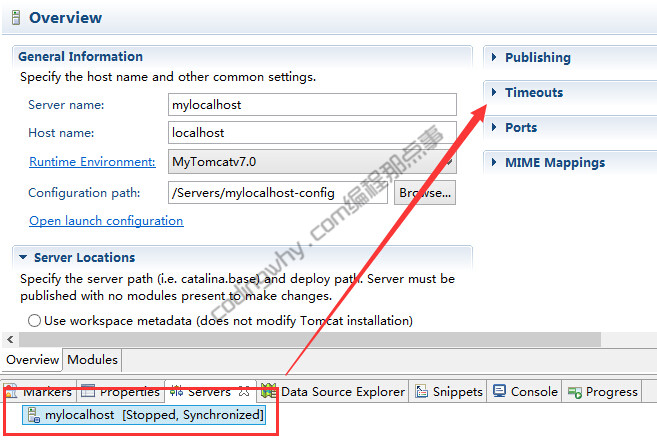
2、单击“Timeouts”,展开“Timeouts”的配置,修改“start(in seconds)”的值45为更大,比如100。修改完成之后,按ctrl+s保存tomcat的配置选项
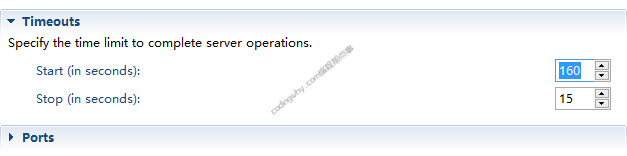
至此,Server mylocalhost was unable to start within 45 seconds的问题就解决啦